

Every foreign traveller heading to Thailand needs a Thailand Digital Arrival Card, and the good news is that it only takes about 3 to 5 minutes per person. It is one of the easiest parts of your Thailand entry requirements.
A few fields do make people pause, though. This guide walks through each step in plain language, so you can fill it in once, correctly, and get back to planning the fun part.
Before You Start: Have These Ready
The form can’t be saved halfway, so it helps to gather everything first. The official TDAC user guide recommends the same.
- Your passport
- Your phone number, occupation and city of residence
- Your arrival flight number and date
- Your accommodation address in Thailand
- The countries you have stayed in over the last two weeks
- An email address to receive your card
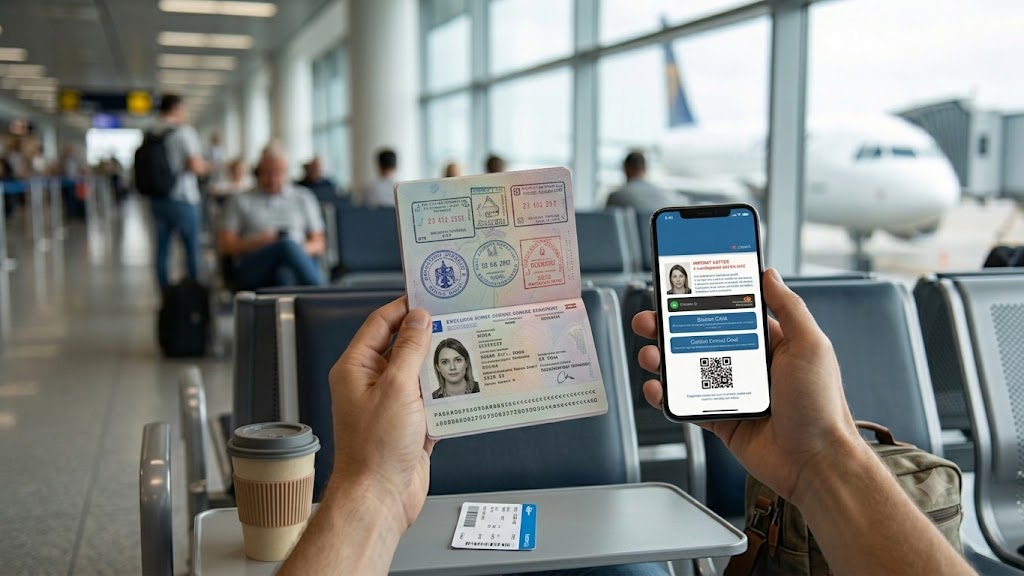
Step-by-Step: Filling In the TDAC
Step 1: Open the Official Site
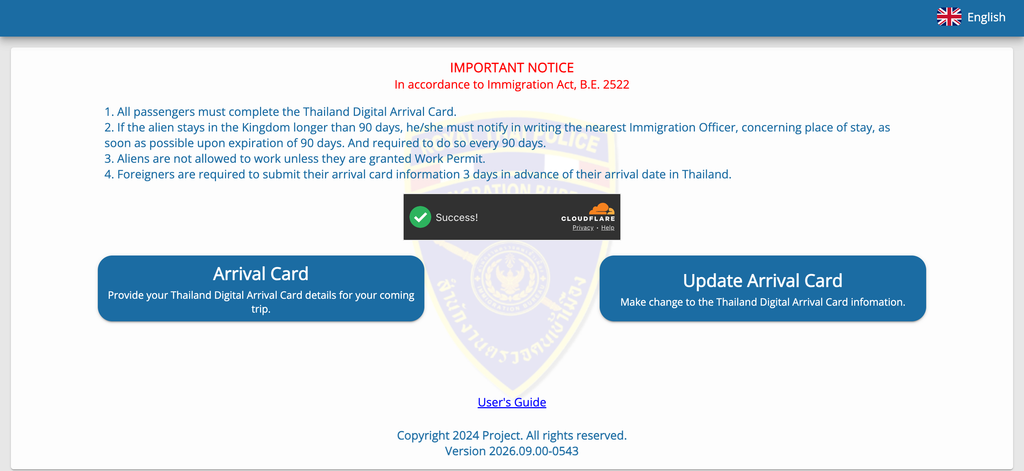
Go to the official TDAC portal run by the Immigration Bureau and tap “Arrival Card”. It is completely free. You can submit within the three days before you arrive, counting your arrival day, and you can switch the language using the flag icon.
Step 2: Personal and Passport Details
Want a shortcut? Tap to scan the MRZ, the two lines of code at the bottom of your passport photo page, and the form fills itself in. Just double-check everything afterwards.
- Names: enter them exactly as in your passport. If you have no family name, type a dash (-).
- Optional fields: middle name and visa number can be left blank if they do not apply to you.
- Dropdowns: type the first three letters, such as “AUS”, and the options appear.
Make sure that everything needs to be typed in English.
Step 3: Trip Information
Add your arrival date, the country where you boarded, your purpose of travel and your mode of transport. Visiting for meetings? Choose the business purpose, and see our tips for business travellers in Bangkok.
Connecting flight? Enter the flight that actually lands in Thailand, not your first leg. Departure details are optional.
Step 4: Accommodation
Choose your accommodation type, then the province and district. The postcode fills in for you. Your booking confirmation has the full address to copy in. Visiting several places? Just enter where you are staying first.
Step 5: Health Declaration
List the countries you have stayed in during the two weeks before arrival. For most travellers that is it. The form only asks extra questions if your route or recent travel matches the public health list.
Step 6: Preview, Submit and Save
Check every detail on the preview screen, add your email, accept the terms and tap Submit. Download your card straight away and save the QR code to your phone. Printing is optional, but handy if you prefer paper.
Filling It In for Family or a Group
You can fill in the TDAC for others, and one submission covers up to 10 travellers. After the first person, tap “Add Other Travelers” and use “Same as Previous Traveler” to copy the trip and hotel details across. Every traveller, including babies, needs their own entry. Travelling with kids? Here are more tips for arriving in Thailand as a family.
Made a Mistake? Here’s How to Fix It
No stress. Tap “Update Arrival Card” and search using your card number, date of birth and nationality. You can edit things like your flight or hotel right up until you travel.
A few details are locked: your name, passport number, nationality and date of birth. If one of these is wrong, simply submit a new card. The most recent submission is the one immigration uses.
Common Slip-ups to Avoid
| Slip-up | Easy fix |
|---|---|
| Submitting too early | Wait until you are within three days of arrival |
| Using a lookalike website | Only use tdac.immigration.go.th, which is free |
| Entering your first flight | Use the flight that lands in Thailand |
| Name differs from passport | Copy it exactly, or scan the MRZ |
| Waiting for a reminder | The system does not send one, so set your own |
| QR code only in your inbox | Save a screenshot for use without signal |
On Arrival Day
Show your QR code with your passport at the immigration counter. Forgot to submit? Kiosks and Wi-Fi are available at Suvarnabhumi, Don Mueang and Phuket airports, so you can still complete it after landing.
With your card sorted, the queue is the only thing left. In busy months it can be long, as our look at fast track vs regular immigration at Suvarnabhumi shows. Fast Track Thailand meets you on arrival and guides you through the priority lane, so you are on your way sooner.
Quick FAQ
For even more detail, the official TDAC FAQ is a great resource.
Do I need a TDAC if I arrive by land or sea?
Yes. The TDAC applies to every foreign traveller, whether you arrive by air, land or sea.
Does the TDAC work with visa on arrival or visa exemption?
Yes, it works with all visa types. Just remember it is an arrival card, not a visa itself.
I didn’t receive my QR code by email. What should I do?
Check your spam folder first. If it still has not arrived, speak to the immigration officer at the checkpoint when you land.
Is my TDAC data shared with other countries?
No. Your data is protected under Thailand’s Personal Data Protection Act and used only for Thai border control.
Ready for a Smooth Arrival?
A few minutes with the right details is all the TDAC takes. Once it is done, you are ready to land and start your trip.
Want to make arrival even easier? Fast Track Thailand helps you skip the long queues at the airport. Explore the top benefits of fast track and our pricing, or add lounge access for a relaxing trip home.
Ready to go? Book your Thailand Fast Track here.